Phishing Scam Text Message — How to Identify and Avoid Smishing
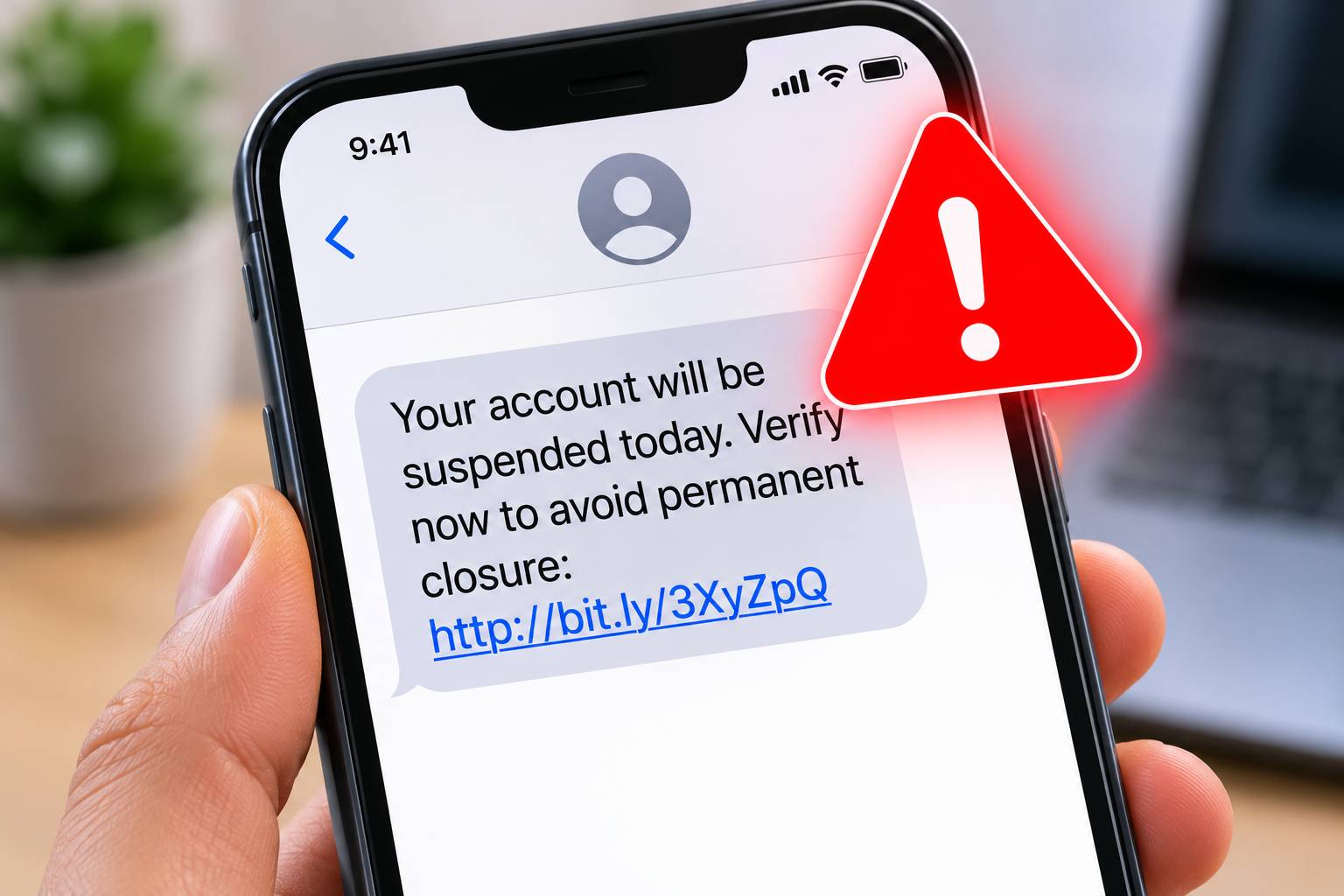
Table of Contents
Your phone buzzes with a text: "HSBC: Unusual activity detected on your account. Verify immediately: [link]" — but you do not even bank with HSBC. This is smishing — a phishing scam text message designed to steal your information or install malware on your phone.
SMS phishing (smishing) has surged by over 300% since 2021. In the US alone, consumers reported losing over $330 million to text message scams in 2025. This guide will teach you how to identify every type of phishing scam text message, what to do when you receive one, and how to protect yourself.
What Is Smishing?
Smishing (SMS + phishing) is a social engineering attack where criminals send fraudulent text messages to trick you into:
- Clicking a malicious link that leads to a fake login page or downloads malware
- Calling a scam phone number where operators extract your personal information
- Replying with personal information such as account numbers or verification codes
- Installing malicious apps disguised as legitimate software
Smishing is the text message equivalent of email phishing. If you also receive suspicious emails, read our guide on how to spot a phishing email.
Common Types of Phishing Text Messages
1. Bank and Financial Alert Scams
The most common type of smishing impersonates banks:
- "Chase: Your account has been locked due to suspicious activity. Click here to verify: [link]"
- "Bank of America: A payment of $2,499.99 was attempted. If this was not you, call 1-800-XXX-XXXX"
- "Your card ending in 4532 has been suspended. Reactivate: [link]"
How to identify: Real banks never send links via text message. They will never ask you to "verify" credentials through a text. If concerned, call the number on the back of your card — never the number in the text.
2. Delivery and Package Scams
Extremely common, especially around holidays:
- "USPS: Your package cannot be delivered. Update address: [link]"
- "Royal Mail: Your parcel is awaiting delivery. Pay the £1.45 fee: [link]"
- "FedEx: Delivery failed — reschedule here: [link]"
- "Amazon: Your order #8847291 is delayed. Track here: [link]"
How to identify: Legitimate delivery services track packages through their official apps or websites. They do not send random delivery fee requests via text. Check tracking directly on the carrier's official website.
3. Tax and Government Scams
- "IRS: You are eligible for a $1,200 stimulus payment. Claim now: [link]"
- "HMRC: You are due a tax refund of £349.50. Claim here: [link]"
- "Social Security Administration: Your SSN has been suspended. Call immediately: XXX-XXX-XXXX"
How to identify: The IRS, HMRC, and other tax agencies never initiate contact via text message. They send official letters by mail. Any text claiming to be from a government agency is a scam.
4. Prize and Lottery Scams
- "Congratulations! You've won a $5,000 Walmart gift card. Claim: [link]"
- "You are the lucky winner of our monthly draw! Reply YES to claim"
How to identify: You cannot win a prize for a contest you did not enter. These are always scams.
5. Account Verification Scams
- "Netflix: Your account payment failed. Update billing info: [link]"
- "Apple: Your Apple ID has been disabled. Verify: [link]"
- "PayPal: Your account is limited. Remove limitation: [link]"
How to identify: Log in directly through the official app or website — never through a text message link. If there is a real issue, you will see it when you log in normally.
6. Two-Factor Authentication Intercept
A sophisticated attack where scammers try to capture your 2FA codes:
- They already have your username and password (from a breach)
- They attempt to log in, triggering a real 2FA code to your phone
- They text you pretending to be the service: "Enter the code sent to your phone to verify your identity"
- Or they call you pretending to be fraud prevention, asking for the code
How to identify: Never share 2FA codes with anyone, for any reason. Legitimate services will never ask you to read back a verification code via text or phone.
How to Identify a Phishing Text — The Checklist
- Is it unsolicited? Did you expect this message? If not, treat it with suspicion
- Does it create urgency? "Act now," "immediately," "within 24 hours" — scam tactics
- Does it contain a link? Hover or long-press to preview before clicking. If the URL looks suspicious, scan it on ScamSandbox
- Does it ask for personal info? Legitimate companies do not request sensitive data via text
- Is the sender a short code or random number? Some scam texts come from random phone numbers
- Are there spelling/grammar errors? Professional organizations proofread their communications
- Does it offer something too good to be true? Free money, prizes, refunds you did not request
- Does it threaten negative consequences? Account suspension, legal action, arrest
What to Do When You Receive a Phishing Text
Do NOT:
- Click any links in the message
- Reply to the message — even "STOP" confirms your number is active
- Call any phone number included in the text
- Download any files or apps suggested in the message
DO:
- Take a screenshot for your records and reporting
- Report it (see reporting section below)
- Block the sender on your phone
- Delete the message after reporting
- Verify independently — if the text claims to be from your bank, call them using the number on their official website
How to Report Phishing Text Messages
United States
- Forward the text to 7726 (SPAM) — this reports it to your mobile carrier
- Report to the FTC
- Report to the FBI IC3 if you lost money
United Kingdom
- Forward the text to 7726 — free reporting to Ofcom and your carrier
- Report to Action Fraud
- Report fake HMRC texts to: 60599 (HMRC's dedicated number)
Canada
- Forward to 7726
- Report to the Canadian Anti-Fraud Centre
Check the Phone Number
If the text came from a phone number (not a short code), look it up on our phone scam database. You can search US numbers, UK numbers, and Canadian numbers to see if others have reported the same number.
What If You Clicked a Link in a Phishing Text?
If you already clicked a link in a suspicious text message:
- Do not enter any information on the page that opened
- Close the browser immediately
- Clear your browser history and cache
- Run a security scan on your phone (use your phone's built-in security or a reputable antivirus app)
- Change passwords for any accounts that may be affected
- Enable 2FA on important accounts
- Monitor your accounts for unauthorized activity
- If you entered credentials, change those passwords immediately and contact the real company
If you entered financial information, contact your bank immediately. Read our guide on what to do after being defrauded online.
How to Protect Yourself from Smishing
- Enable spam filtering — iPhone (Settings > Messages > Filter Unknown Senders) and Android (Google Messages has built-in spam protection)
- Register on the Do Not Call list (US: donotcall.gov, UK: TPS)
- Use a call/text blocking app — Truecaller, Hiya, or your carrier's blocking service
- Never click links in texts from unknown senders
- Verify independently — go directly to the company's website or app
- Keep your phone updated — security patches protect against known exploits
- Use ScamSandbox to check any suspicious URLs you receive via text
Frequently Asked Questions
Can opening a text message infect my phone?
Simply reading a text message is extremely unlikely to infect your phone. The danger comes from clicking links, downloading attachments, or installing suggested apps. Keep your phone's operating system updated to protect against rare zero-click vulnerabilities.
Why do scammers have my phone number?
Phone numbers are commonly obtained through data breaches, purchased from data brokers, scraped from social media, or generated randomly by auto-dialing software. You can check if your information has been exposed at Have I Been Pwned.
Should I reply "STOP" to a scam text?
No. Replying to a scam text — even with "STOP" — confirms to the scammer that your number is active and monitored, which may result in more scam messages. Simply report, block, and delete.
Can I trace who sent a phishing text?
Individual consumers generally cannot trace scam texts, as scammers use spoofed numbers and VoIP services. However, reporting to law enforcement and your carrier contributes to larger investigations that can identify and shut down scam operations.
Are iPhone users safe from smishing?
No platform is immune to smishing because the attack targets the user, not the operating system. iPhones cannot be infected by simply opening a text, but users can still be tricked into entering credentials on fake websites or installing malicious profiles.
Stay Vigilant
Phishing text messages are becoming more sophisticated every day. Your best defense is awareness, skepticism, and verification. Never click links in unexpected texts, verify independently through official channels, and use tools like ScamSandbox to check suspicious URLs. Report scam texts to protect others and help law enforcement track down the criminals behind them.
Explore more security guides on our blog.