EZ Pass Toll Scam (2026): The Fake "Unpaid Toll" Text Explained
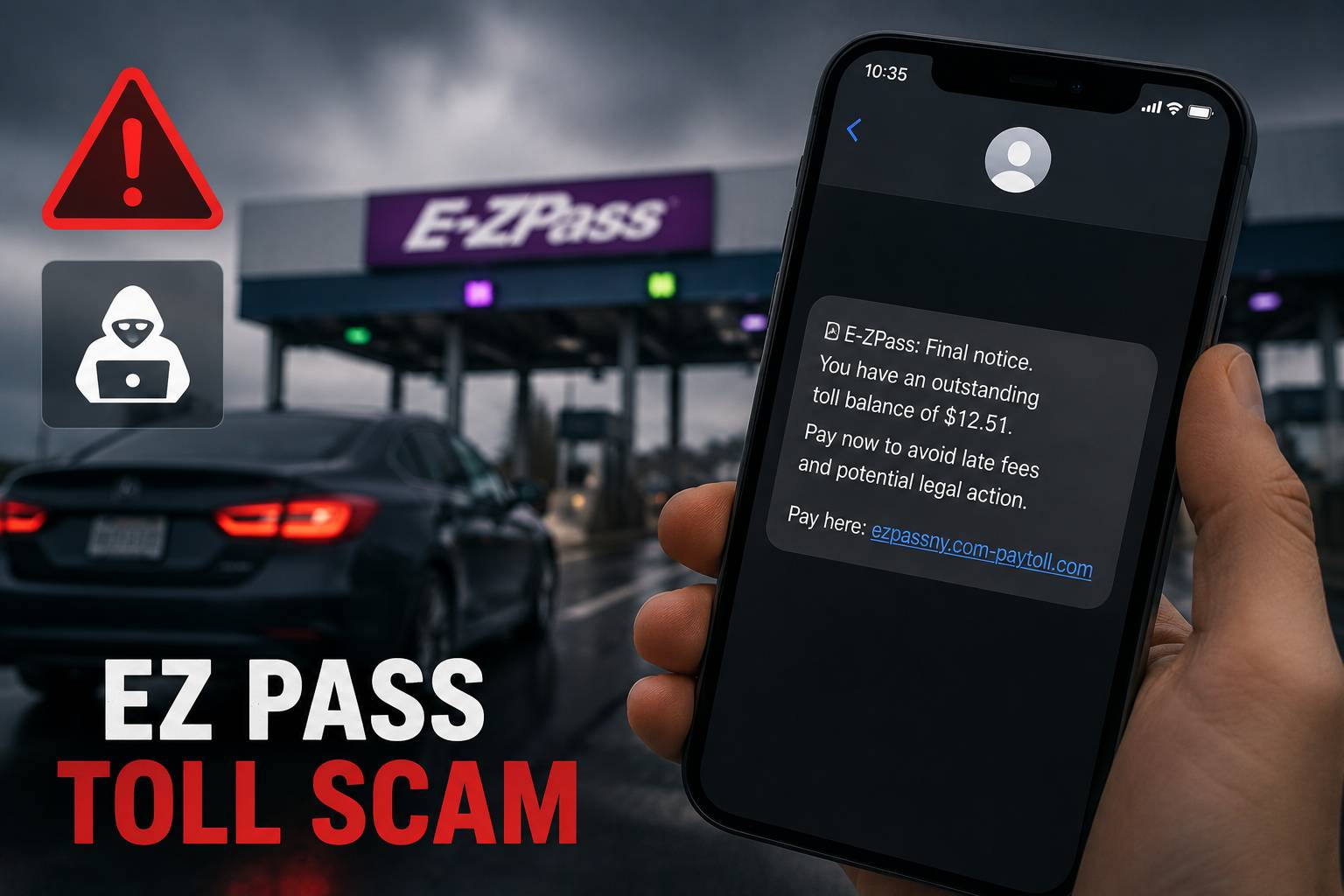
Table of Contents
If you got a text saying you owe a few dollars for an unpaid toll — and you need to pay right now or face a $150 penalty and a suspended license — stop. It's a scam. E-ZPass and other toll agencies do not collect unpaid tolls by text, and the link in that message is built to steal your card.
This is the EZ Pass toll scam (technically "smishing," or SMS phishing), and it's one of the most widespread fraud campaigns in the U.S. right now. Here's exactly how it works, why it's gotten so convincing, and what to do if a text already landed in your inbox.
What is the EZ Pass toll scam?
It's a mass text-message scam in which criminals impersonate toll agencies to trick you into handing over your payment-card details. The texts claim you have an unpaid toll and pressure you to "settle your balance" through a link before late fees or legal action kick in.
The scammers don't actually know whether you've driven a toll road. Toll agencies have been blunt about this: the targeted numbers are essentially chosen at random and aren't tied to any real account or toll usage. They're blasting millions of numbers and counting on a fraction of recipients to panic and click.
The brand changes by region to seem local. You might see E-ZPass (20+ states), SunPass (Florida), FasTrak (California), I-Pass (Illinois), EZDriveMA (Massachusetts), TxTag (Texas), or a generic name like "New York Toll Services."
How big is it?
Huge — and industrialized. The FBI's Internet Crime Complaint Center logged more than 60,000 complaints about toll scams in 2024, and the texts have kept coming ever since. The campaign isn't a few lone scammers; it's powered by China-based "phishing-as-a-service" platforms — known as Lighthouse and the Smishing Triad — that sell ready-made toll-scam kits on Telegram for as little as $88 a week.
In November 2025, Google filed a lawsuit to dismantle Lighthouse, stating it had harmed over 1 million victims across 120 countries. Security researchers have tied these operations to more than 190,000 malicious domains spun up since 2024 to impersonate tolls, the postal service, banks, and retailers.
How the scam actually works, step by step
- The text arrives. It reads something like: "Unpaid toll invoice for your vehicle. To avoid a $150 late charge, settle your balance of $5.89 immediately," followed by a link.
- The iMessage trick. Apple disables links in texts from unknown senders, so the message often tells you to reply "Y" (or save the contact and reopen it) to "activate" the link. Doing that both enables the link and confirms your number is live.
- The fake toll page. The link opens a convincing copy of the toll site. It first asks for low-stakes info — your name and ZIP code — to feel legitimate.
- The payment page. Next it asks for your card details to "pay" the tiny balance.
- The mobile-wallet hijack (the dangerous twist). Behind the scenes, the site tries to load your card into an Apple Pay or Google Wallet on the scammer's phone. To finish, it asks you to enter the one-time code your bank just texted you. If you do, the criminals link your card to their device and can spend from it — long after that "$5.89" is forgotten.
How to spot the fake toll text
- Payment demanded by text. Real toll agencies never request payment or sensitive info (card number, SSN, passwords) via text or email.
- Urgency and threats. "Pay within 12 hours or lose your license / face legal action." Pressure is the whole game.
- A tiny balance with a huge penalty. The $5.89-vs-$150 framing is designed to make paying feel like the easy choice.
- A link that isn't the official domain. Look closely: misspellings, extra words, odd endings (e.g.
.xin,.top,ezpass-toll-pay[.]com). Legitimate links use the agency's real domain. - A request to reply "Y" or move the message to your contacts to open a link. No real agency does this.
What to do if you get one
- Don't click anything and don't reply. Not even "STOP" — any response confirms your number is active.
- Verify independently. If you're worried you genuinely owe a toll, open your toll agency's official website yourself (type it in) or call their published customer-service number. Never use the link or number in the text.
- Report it. Forward the text to 7726 (SPAM), then file a complaint at ic3.gov — include the sender's number and the link in the message.
- Delete the text.
What to do if you already clicked or paid
- Call your bank immediately. Report it, freeze or replace the card, and dispute any unfamiliar charges.
- Remove any unauthorized mobile wallet. If you entered a one-time code, your card may be linked to a scammer's device — your bank can revoke it.
- Change passwords for any account where you reused that info, and turn on two-factor authentication.
- Watch your statements closely for the next few months.
- Report the fraud at ReportFraud.ftc.gov and ic3.gov.
The bottom line
An unpaid-toll text is one of the safest scams to handle, because the rule is absolute: toll agencies don't collect by text. Whether or not you've driven a toll road recently, treat any "unpaid toll" message as a scam, verify directly through the official site if you're unsure, and never enter card details or a one-time code from a link you didn't go looking for.
Frequently asked questions
I replied to the toll text but didn't click the link. Am I in danger?
You're not infected, but you've confirmed your number is active, so expect more scam texts. Don't click anything in future messages. There's no need to change passwords unless you entered information on a linked site.
How did the scammers get my phone number?
They usually didn't target you specifically. These operations blast huge ranges of randomly generated or leaked numbers, which is why people who've never used a toll road still get the texts.
What if I really do have an unpaid toll?
Check it the safe way: go directly to your toll agency's official website or call the number printed on a real invoice or their public site. Never use contact details from the text.
Is the link dangerous even if I don't enter anything?
Just opening a phishing page usually won't harm you — the danger is entering data. But don't risk it: close the page, and never type your name, ZIP, card, or any verification code into a site you reached from an unsolicited text.
Sources: FBI / IC3, U.S. FTC, MassDOT and multiple state toll authorities, Cisco Talos, Google (Lighthouse lawsuit, November 2025), Krebs on Security, and Palo Alto Networks Unit 42 (2024–2026).